Improving accessibility (a11y) of modern front-end applications: common mistakes, tools and practical solutions
Introduction
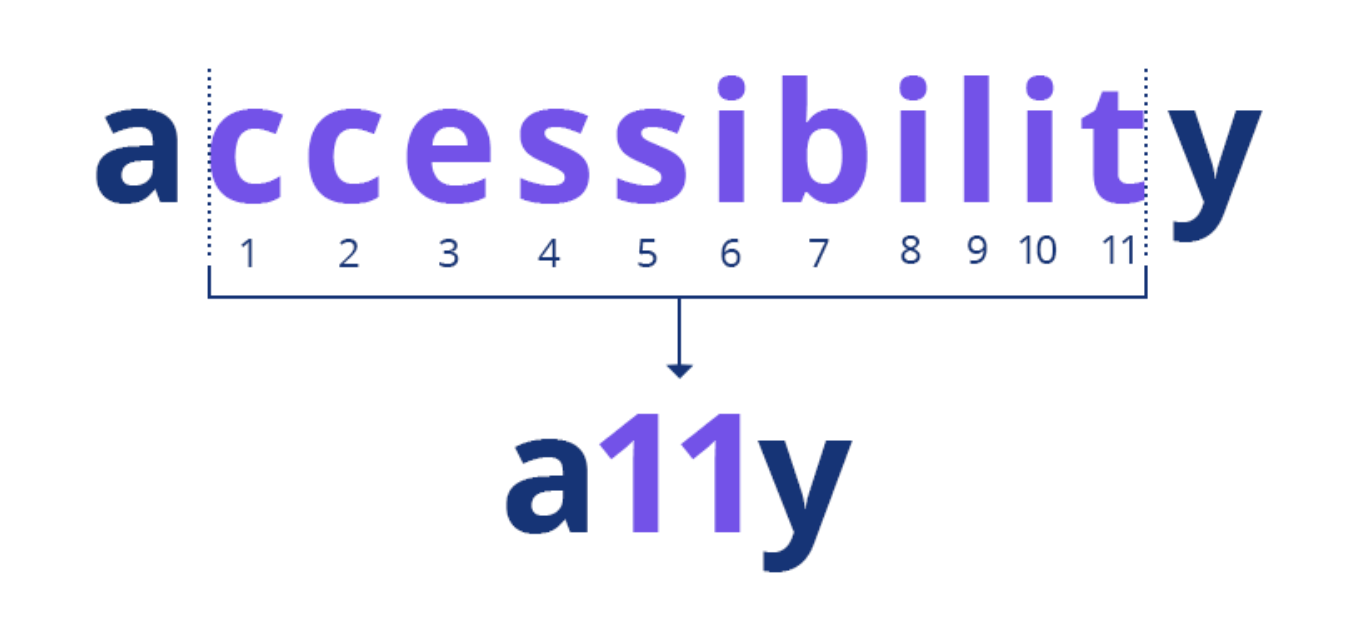
In the world of web development, accessibility (often abbreviated as a11y, because there are 11 letters between “a” and “y”) is too often perceived as a secondary topic. Yet, it’s a crucial issue: an accessible site is usable by everyone, including people with visual, motor, auditory, or cognitive disabilities.
But accessibility goes far beyond that:
- It improves the user experience for everyone (example: keyboard navigation is useful when the mouse doesn’t work).
- It directly impacts SEO ranking, as semantic HTML is better understood by search engines.
- It reduces legal risk in certain sectors where WCAG 2.2 standards are mandatory.
👉 The good news? Many a11y problems can be quickly fixed with simple good practices. Let’s see how.
How to quickly audit page accessibility
1. Lighthouse (Chrome DevTools)
- Open the page → Right click → “Inspect” → Lighthouse tab → check Accessibility.
- Result: a score (0 to 100) + list of detected problems.
2. Axe DevTools
- Free Chrome/Firefox extension.
- Provides detailed errors and concrete recommendations.
3. Keyboard navigation
- Test with Tab, Shift+Tab, Enter, Space, Escape.
- If you get stuck or lose focus… problem.
4. Zoom and contrast
- Zoom the page to 200%.
- Verify that everything remains readable and navigable.
- Use a contrast checker (e.g., WebAIM Contrast Checker).
12 quick fixes with examples
1. Structured headings
Always one <h1> per page, then a logical hierarchy.
<h1>Dashboard</h1>
<h2>Recent Activity</h2>
<h3>Notifications</h3>
2. Buttons vs. links
Don’t misuse <a> as a button.
<!-- Bad -->
<a onclick="save()">Save</a>

<!-- Good -->
<button type="button" onclick="save()">Save</button>
3. Alternative text for images
<img src="sara.jpg" alt="Sara Dupont, product manager" />
<img src="divider.svg" alt="" role="presentation" />
4. Sufficient contrast
Target: 4.5:1 for normal text, 3:1 for large text.
:root {
  --btn-bg: #1d4ed8;
  --btn-text: #ffffff;
}
5. Visible focus
:focus {
  outline: 2px solid #000;
  outline-offset: 2px;
}
6. Tab order
Avoid positive tabindex. Use natural DOM order.
7. Forms with labels and errors
<label for="email">Email</label>
<input id="email" type="email" aria-describedby="emailHelp" />
<small id="emailHelp">We will never send spam.</small>
<p id="emailError" role="alert">Invalid address.</p>
8. Explicit links
<!-- Bad -->
<a href="/invoices/123">Learn more</a>

<!-- Good -->
<a href="/invoices/123">View invoice #123</a>
9. Well-marked tables
<table>
  <caption>
    Monthly revenue 2025
  </caption>
  <thead>
    <tr>
      <th>Month</th>
      <th>Revenue</th>
    </tr>
  </thead>
  <tbody>
    <tr>
      <th>January</th>
      <td>120,000 €</td>
    </tr>
  </tbody>
</table>
10. Accessible modals (simplified React example)
function Modal({ open, onClose, titleId = 'modal-title', children }) {
  if (!open) return null;
  return (
    <div role="dialog" aria-modal="true" aria-labelledby={titleId}>
      <h2 id={titleId}>Modal title</h2>
      {children}
      <button onClick={onClose}>Close</button>
    </div>
  );
}
11. Relevant ARIA roles
<nav aria-label="Main navigation">...</nav>
12. State management
<button disabled={isSaving} aria-busy={isSaving} aria-live="polite">
  {isSaving ? 'Saving…' : 'Save'}
</button>
Integrating a11y into the development workflow
PR Checklist
- Unique
<h1>title - Smooth keyboard navigation
- Visible focus
- Compliant contrast
- Labeled forms
- Modals/menus tested with keyboard
Automated tools
- Lint:
eslint-plugin-jsx-a11y(React). - Unit tests: Testing Library →
getByRole,getByLabelText. - CI: run Lighthouse on a few key pages (target ≥ 90).
Express case study
Before: Lighthouse score = 65, axe errors = 20.
After corrections (headings, contrasts, labels, accessible modal) → Score = 95, errors = 3.
Time invested: ~3 hours for massive gains.
Useful resources
Conclusion
Accessibility (a11y) is not just a constraint: it’s an opportunity to improve the overall quality of your applications. By applying these simple fixes, you:
- make life easier for millions of users,
- improve SEO,
- and reduce the risk of exclusion or non-compliance.
👉 Start today by auditing your most visited page with Lighthouse, apply 3 corrections, and see the immediate difference.